Job interview in Barangaroo at 9am? Sit down the night before, tell KRAIL you need to arrive by nine, and it lists the trips that get you there with time to spare.
Tap Plan your trip
Search your trip, then tap Plan your trip (once you have set a time, that button shows your choice instead). A sheet opens with two choices at the top:
- Leave, when you know what time you are heading out
- Arrive, when you know what time you have to be there
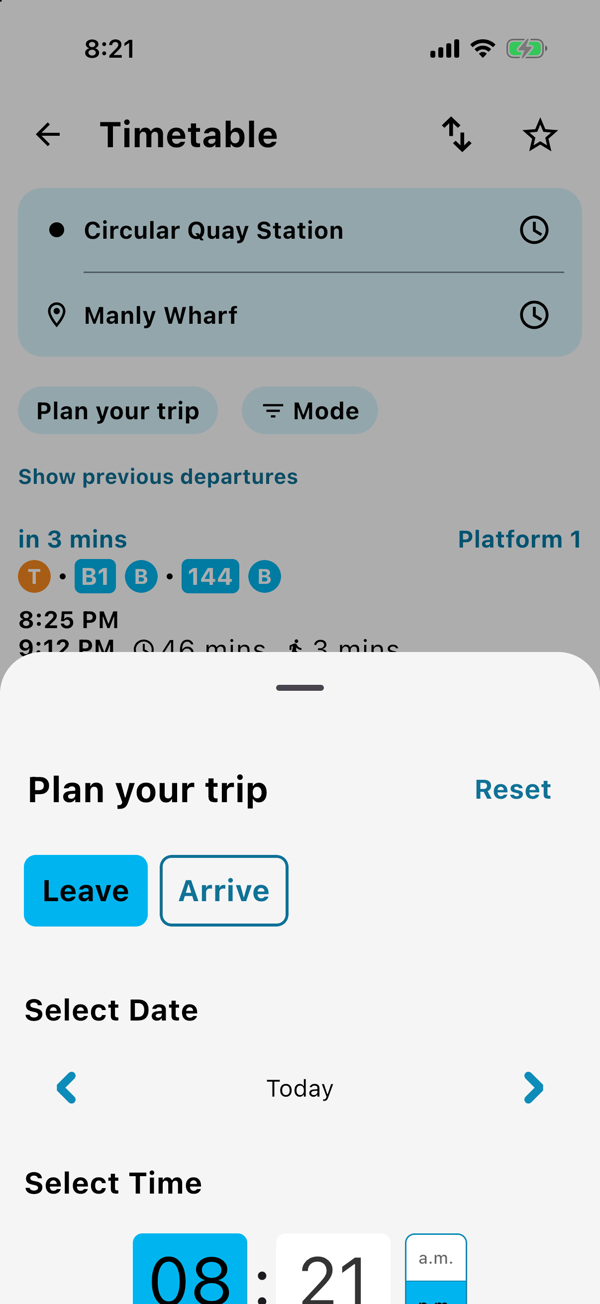
Pick the day and the time
Use the arrows to move from Today to Tomorrow and on through the week. Then set the time on the clock. The button at the bottom reads it back to you in plain words, like Arrive Tomorrow 9:00 AM, so you know exactly what you are about to search. Tap it and your times update.
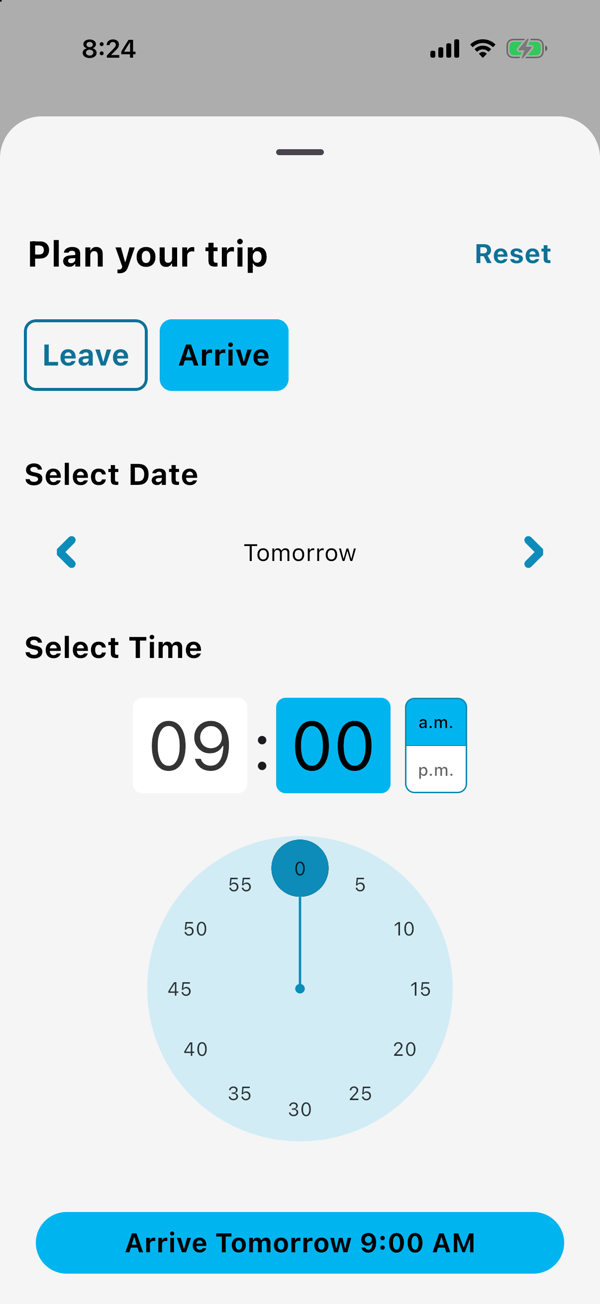
Changed your mind? Tap Reset and you are back to leaving now.
Great for
- getting to work, an exam or an appointment on time
- checking the last good option home before a night out
- planning a weekend trip on a Thursday night
Good to know
- You can plan up to 7 days ahead.
- Times for later are the planned timetable, so check again on the day for anything running late.
Previous
Save your Sydney commute, open it in one tap
Next
Is it late or gone? Live Sydney train and bus times
Save your trip once.
The next departure is one tap away, every morning.