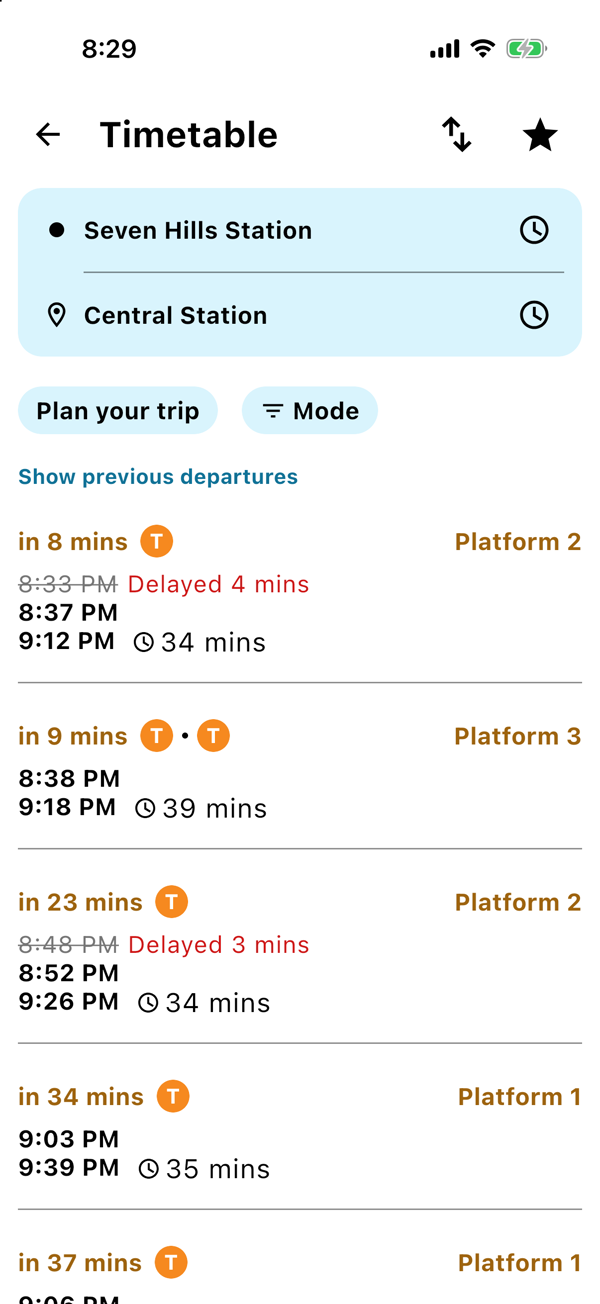
You are on Platform 2 at Seven Hills, the train has not turned up, and you are weighing up a coffee. Open KRAIL and you get a live countdown, the platform, and exactly how late it is running, with the old time struck through.
Your times, live
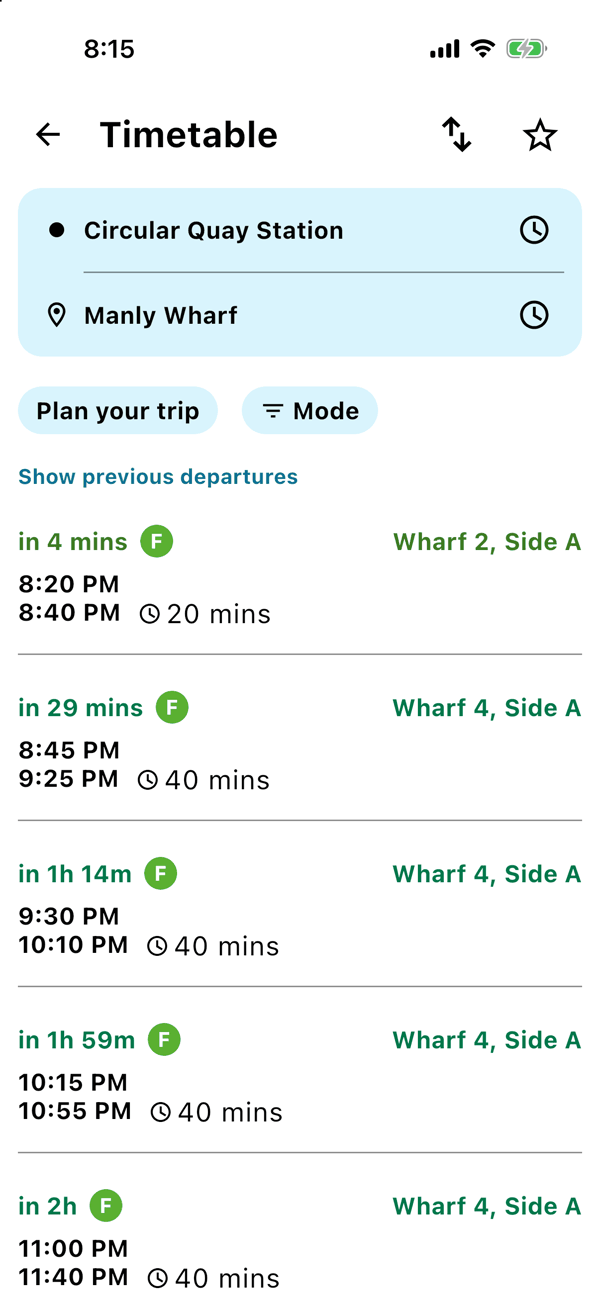
Search any trip and every option shows you:
- a countdown, like in 7 mins or Now
- where to wait: the platform, the bus stand, or the ferry wharf
- when you leave, when you get there, and how long it all takes, including the walking
It works for trains, metro, buses, ferries, light rail and coaches, all in the same place.
Running late? You will see it
When a service is running behind, KRAIL crosses out the old time and shows the new one next to it, with Delayed 4 mins in colour so you cannot miss it. Early services get the same treatment. No more guessing whether the 7:42 is really the 7:42.
Leave the screen open and the times keep updating by themselves every 30 seconds. The countdowns tick down as you watch.
Open a trip for every stop
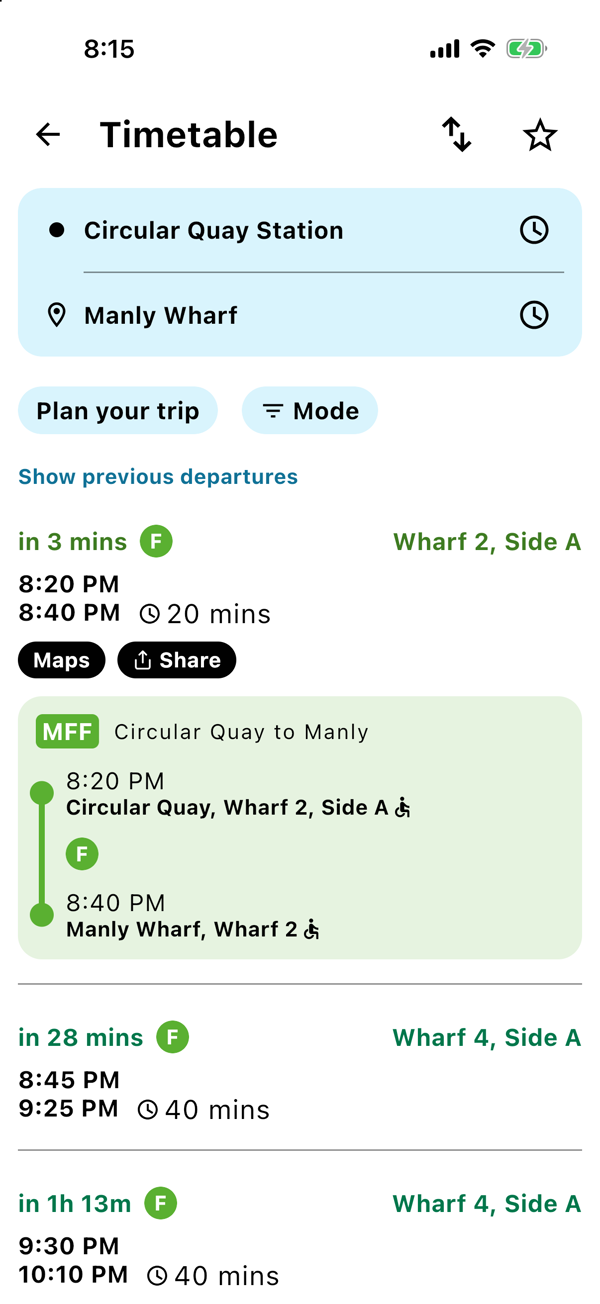
Tap an option to open it up. You see which way the train is heading and how long each walk takes. Tap the stops count, like 12 stops, to see every stop along the way with its time. Stops marked as wheelchair accessible show a little accessibility icon, which helps when you need to know where you can get on and off easily.
Check the alerts before you go
If something is going on with your trip, like trackwork or a detour, open the option and you will see a button like 1 Alert. Tap it and read what is happening, in full, before you walk out the door.
Good to know
- Want to see what you just missed? Tap Show previous departures. Want later options? Tap Load more departures.
- The live times come from Transport for NSW. When there is no live update for a service, KRAIL shows the timetable time.
Save your trip once.
The next departure is one tap away, every morning.