It is 6am at Blacktown, still dark, and your phone screen is blinding you. Switch KRAIL to dark mode and it is kind on your eyes. While you are in there, pick a colour that feels like yours.
Pick your colour
Tap the gear on the home screen, then tap Change Theme. You land on Pick your favourite colour! and six choices, each with its own tagline. A few of our favourites:
- "On the track, no lookin' back!"
- "Smooth sail, no fail!"
- "Surf the sub, no cap!"
- "Hoppin' the concrete jungle!"
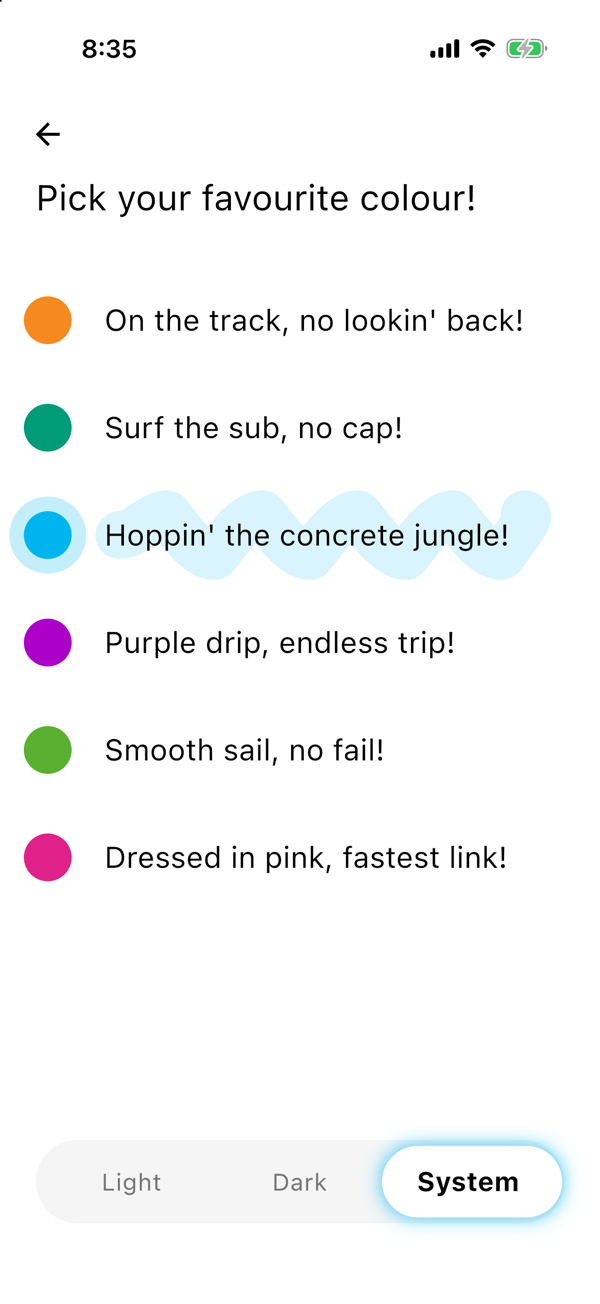
There is a purple one and a pink one too. Tap any colour and the whole app changes to match, straight away.
Light, dark, or whatever your phone does
At the bottom there is a switch with three options:
- Light for bright days
- Dark for early starts and late trips home
- System to follow whatever your phone is set to
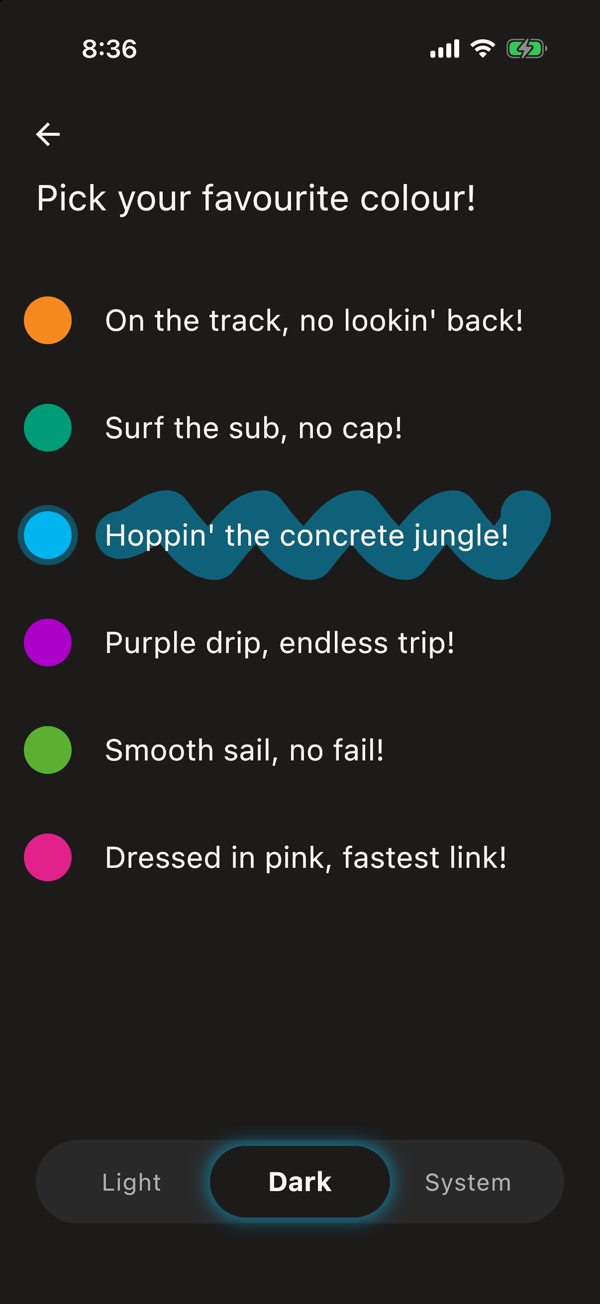
Good to know
- KRAIL adjusts the colours to keep text readable, in light and in dark.
- Change it as often as you like. It is your app.
Previous
Is it late or gone? Live Sydney train and bus times
Next
Find any Sydney bus or train stop on the map
Save your trip once.
The next departure is one tap away, every morning.