You know you catch the 333 at Bondi Beach, and roughly where you get on. What you do not know is the stop's official name, and "the one by the coffee place" does not get you far. In KRAIL, just type the bus number.
Type the number
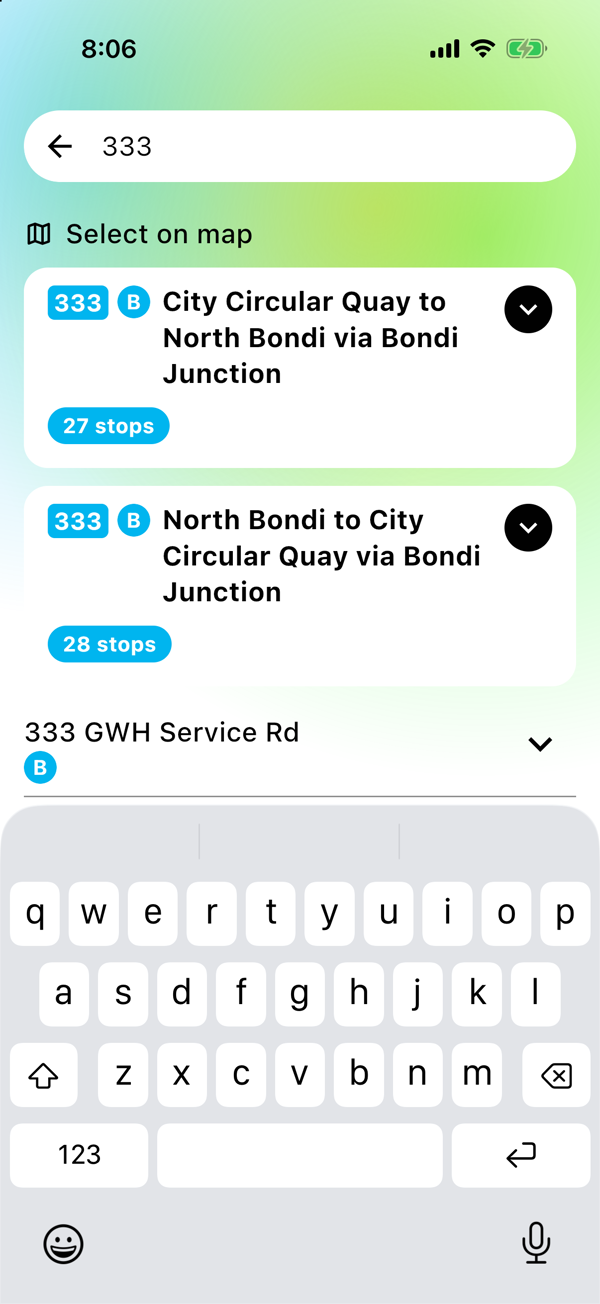
Tap Starting from or Destination and type the bus number, like 333. The route shows up at the top of the results, with a card for each direction it runs and how many stops it has.
Open it and find your stop
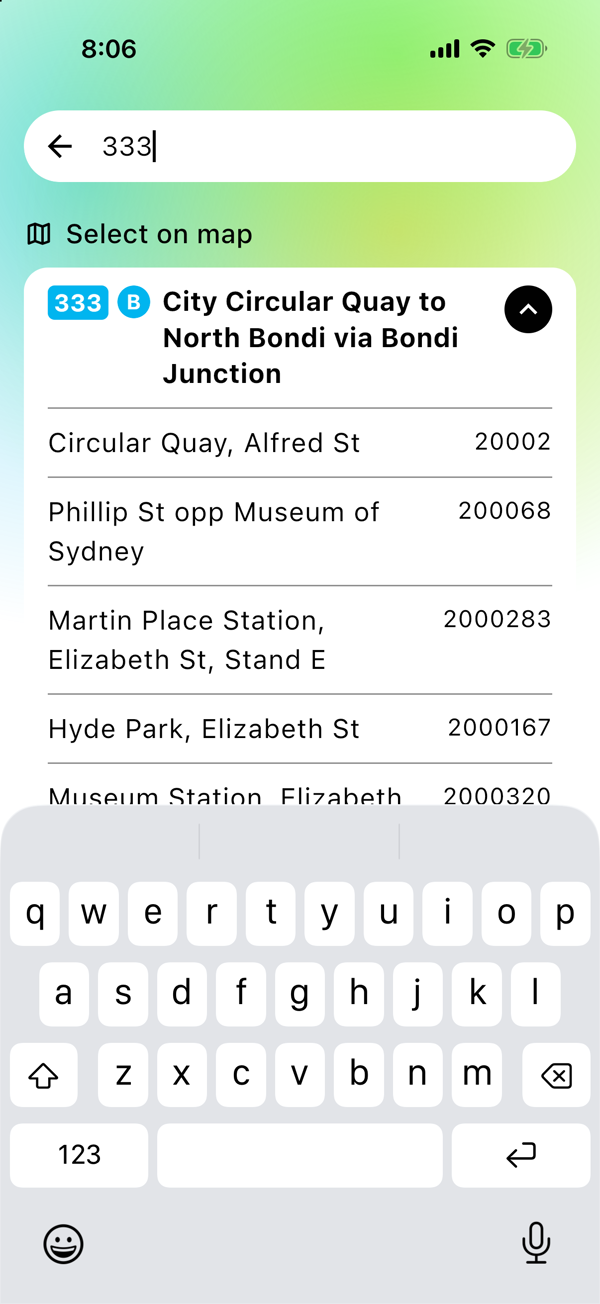
Tap the card and it opens into every stop along the route, in order. Scroll down until you see the one you know, tap it, and it drops into your trip. Now search as normal and you get live times from that stop.
It is the same trick for the stop you get off at. Type the number again, open the other direction if you need it, and tap the stop near where you are going.
Works without signal
The bus routes are stored right on your phone. So even if you are underground, in a lift, or in that one dead spot on the platform, the search still works. You only need a connection once you want the live times.
Good to know
- It is for bus numbers. Type the number exactly as it shows on the front of the bus.
- Some routes show more than one card, because a bus can run a different way on weekends or as an express. Open each one and you will spot yours.
- This finds your stop. For the actual times, pick your stops and search the trip.
Save your trip once.
The next departure is one tap away, every morning.